June 23rd, 2025

Visualize your portfolio’s data in one spot. BrikMate now offers dynamic charts for your portfolio, groups, and assets. Review prior performance or forecast the future of your business!
The current beta version offers Occupancy, Total Rent, Expiring Tenant Count, Expiring Square Footage, and Expiring Rent.
June 18th, 2025
What’s new
Tenant-level sharing — you can now grant login access to a single tenant record instead of the entire asset.
Read-only by design — tenants can view, download, and chat, but they can’t edit anything.
What the tenant can do
View abstract & documents — self-serve answers anytime.
Use AI chat — ask natural-language questions about clauses, dates, or rent details.
Download the abstract PDF — handy for accountants, legal counsel, or any other external stakeholder.
They cannot: upload files, edit metrics, archive anything, or navigate to other tenants or assets.
May 13th, 2025
What’s new — at a glance
New “External” and “Landlord” roles — invite owners, lenders, or other third parties to view an asset without giving them edit rights.
Allocate Access to new invitees — when inviting new users, you are now able to assign group & asset access right after sending the invite.
Member role simplified — the old “Member” and “Manager” tiers are now one role: Member (same editing powers, less confusion).
Role overview
April 28th, 2025
Metric History
What changed? Every time you edit a metric in the panel—whether on the base lease or an amendment—the platform now keeps a complete log of the change.
How to use it: Click the ellipsis (⋯) beside any metric name and choose “View metric history.” A side drawer opens, showing each revision in chronological order. For every entry you’ll see:
Who made the change
The previous value and the new value
Whether the change came from a lease or an amendment
The exact timestamp of the edit
Why it matters:
Instant audit trail for compliance and internal reviews
Faster troubleshooting when numbers don’t match expectations
Clear visibility into how key figures evolve over time

April 16th, 2025
Autosaving for All Metric Fields
Every metric in the Metrics panel now saves automatically as soon as you leave the field—no Save button required.
Bulk Upload Leases
Add many leases to an asset in one action instead of uploading them one‑by‑one.
Drag‑and‑drop multiple files or select them in the Bulk Upload dialog
Rent Schedule Editing Improvements
Drag‑to‑reorder rows — Simply grab any row in the rent schedule and drop it where it belongs. No re‑typing, no copy‑paste.
Guided accept / reject / merge flow — When an amendment proposes changes, a step‑by‑step wizard highlights each difference and lets you accept, reject, or merge with full visibility before saving.
March 31st, 2025
1. Metric Notes

What’s new?
You can now add a note to any metric on a tenant. When viewing a document in a tenant, press the Note-icon next to the metric name:

This will expand a section under the metric where you can type any additional information you wish to record:
Context or clarifications (e.g., explaining a complex lease clause).
Observations (e.g., details about how you arrived at a dollar amount).
Reminders (e.g., a note for the team to revisit the lease for further details).
These notes are visible and editable to anyone who views the tenant.
They will also be reflected on the Abstract:

As well as on the Excel Abstract:

2. Rent Roll (New Column in Asset Table)
What’s new?
We’ve added a Monthly Rent column to the Asset table, effectively providing a basic rent roll. This allows you to quickly see the monthly rent associated with each asset in one consolidated view.

February 17th, 2025
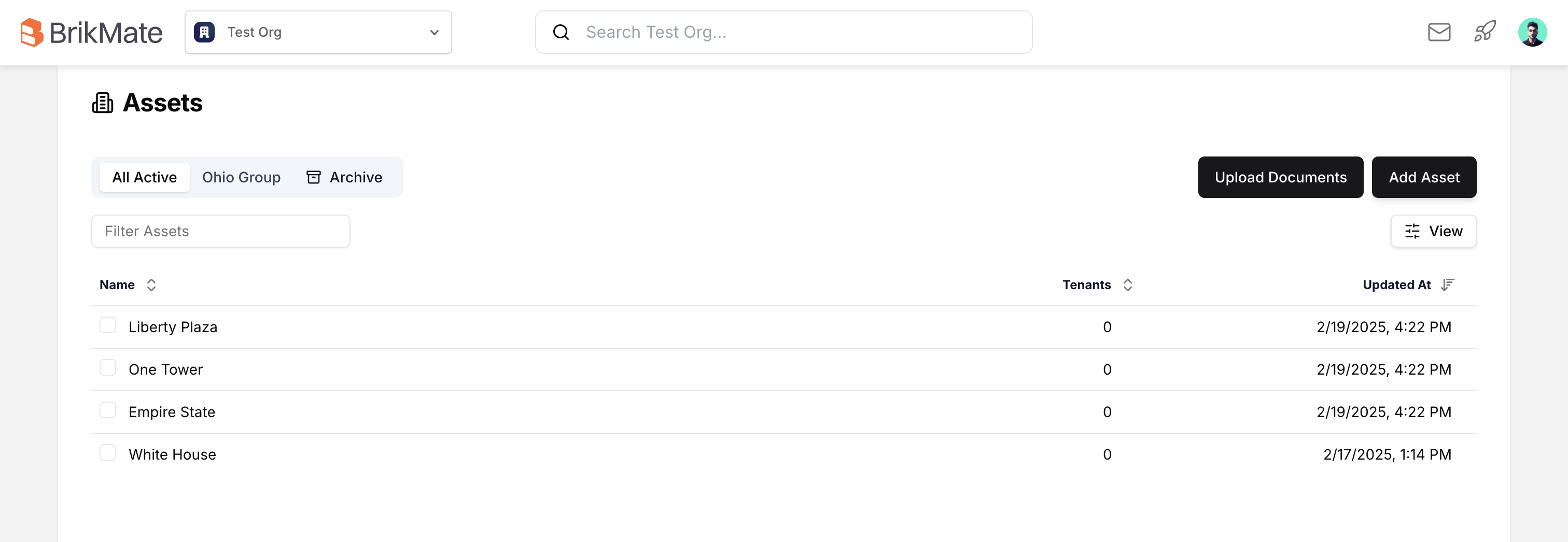
We're excited to introduce a major UI/UX redesign that not only refreshes the look and feel of the app but also enhances your overall experience. Here’s what’s new:
New Abstract Tab:
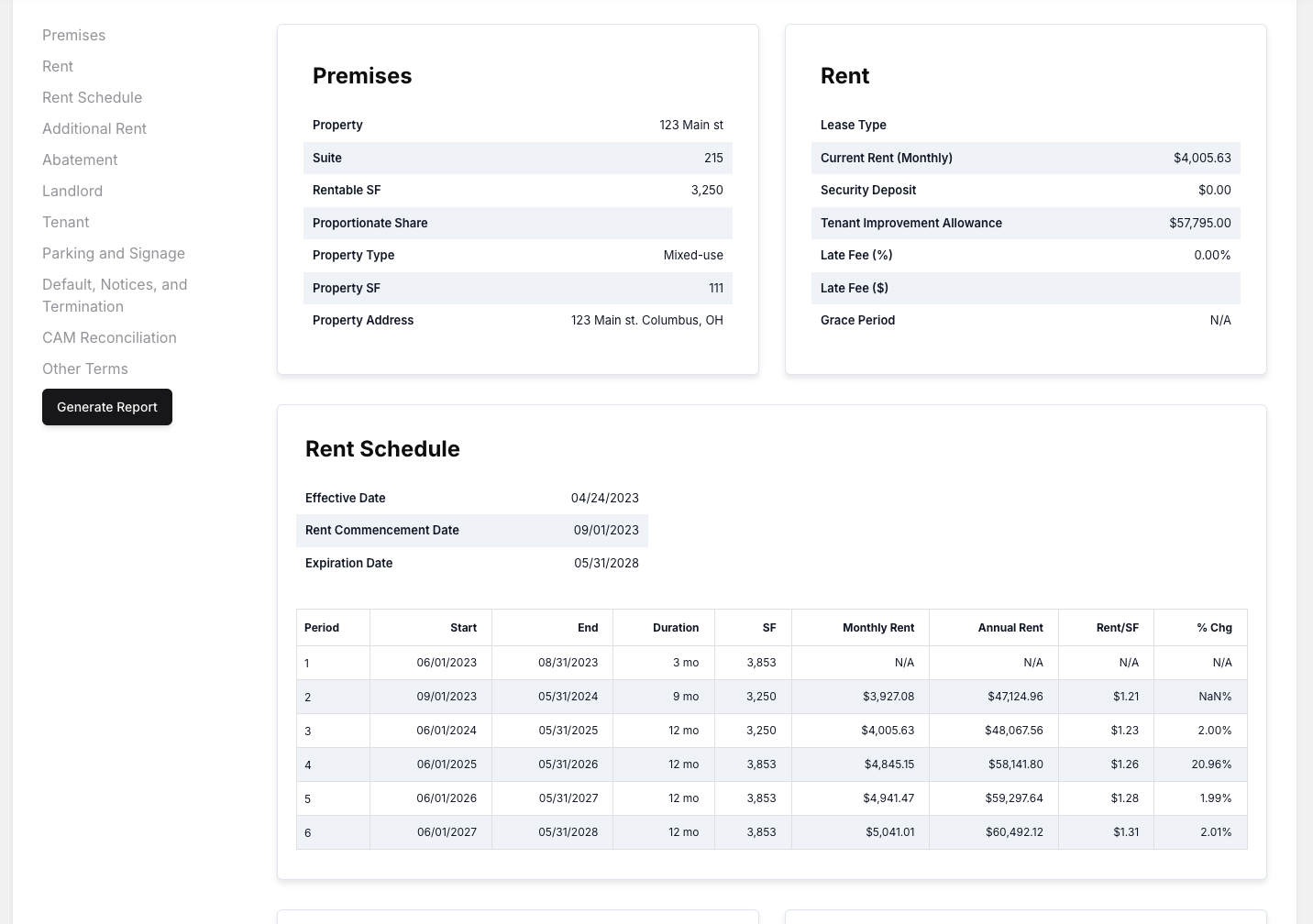
Consolidate all your lease information in a single, easy-to-navigate view. Checking abstract reports has never been simpler!
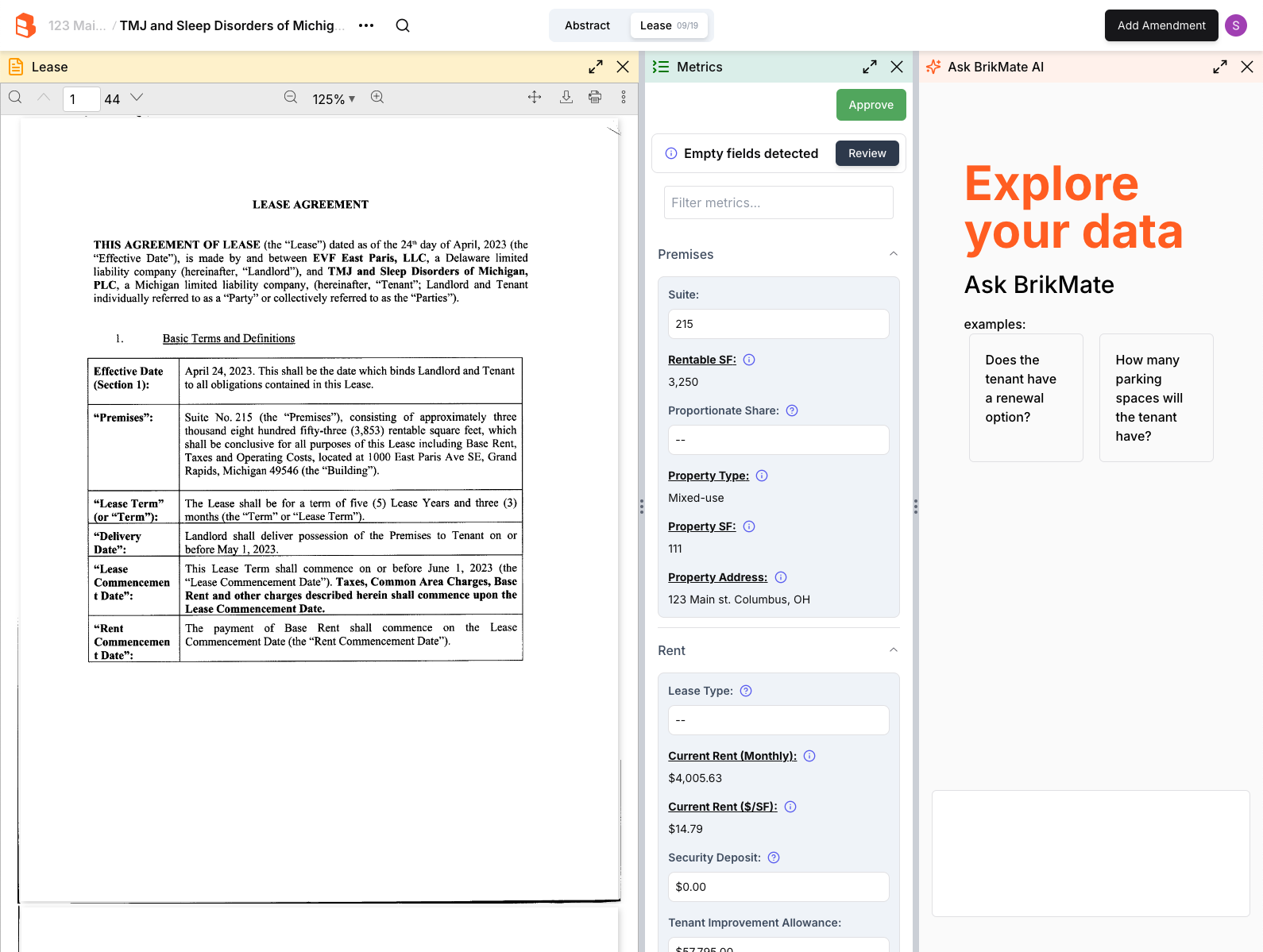
Enhanced Pane Design while viewing a Lease:
Open the AI chat alongside the metric panel, making multitasking smoother and more efficient.
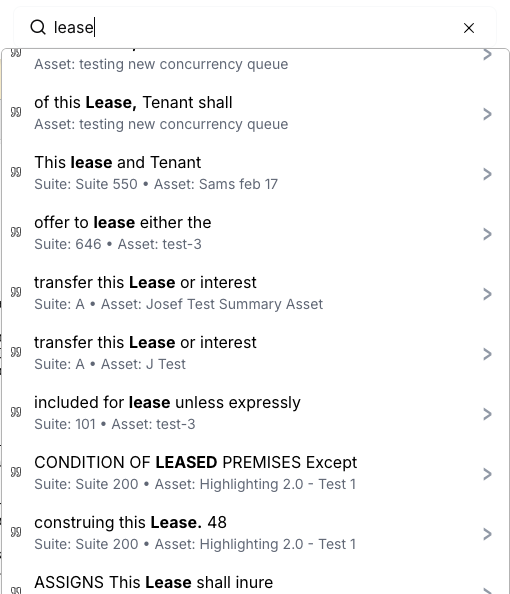
Improved Search Functionality:
Find exactly what you’re looking for faster with our refined search features.
Lease Approval Feature:
Teams can now mark leases as “Approved” directly within the app, streamlining your workflow.

Improved Model Accuracy:
Enjoy more reliable results with enhancements made to our underlying models.Bug Fixes:
We’ve squashed numerous bugs to ensure a smoother and more stable experience.
Thank you for using our app! We’re continually working to improve your experience, and your feedback is always welcome. Enjoy the new features!
January 3rd, 2025
New
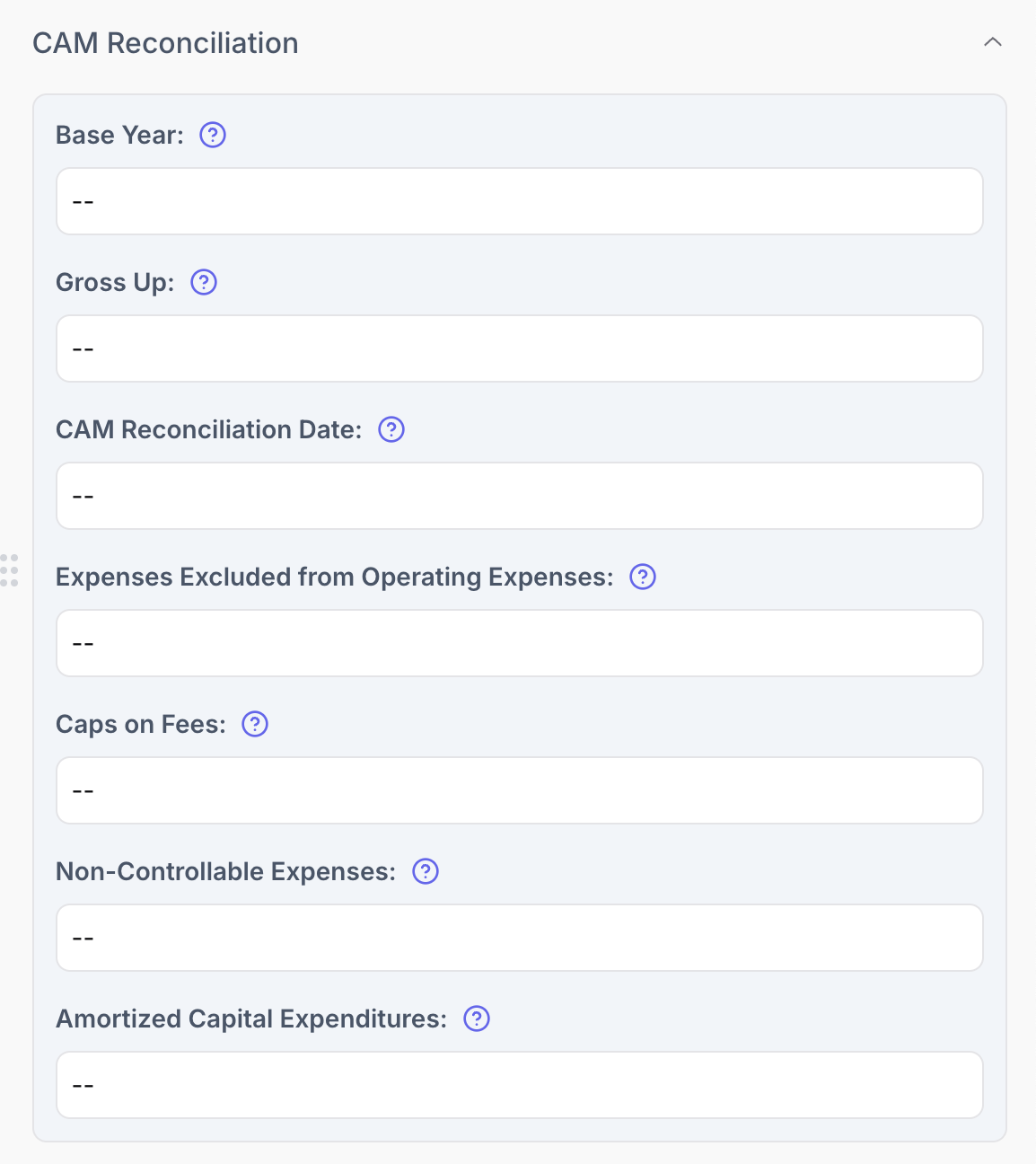
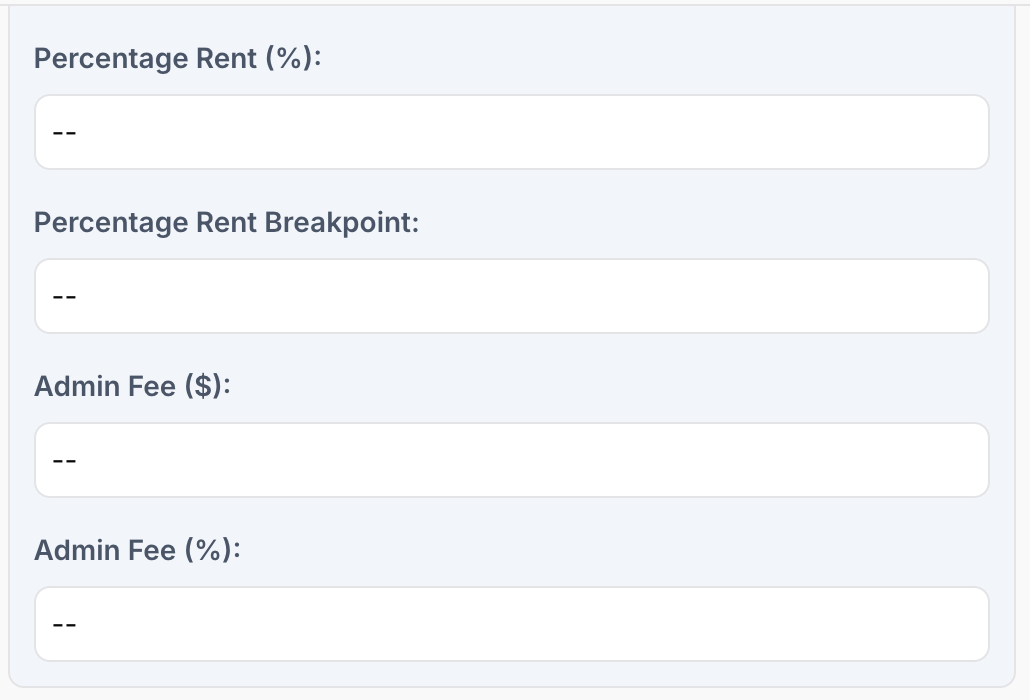
To simplify your CAM reconciliation process this year, we’ve introduced a new “CAM Reconciliation” section within the lease summary, alongside updates to the “Additional Rent” section. These changes aim to make key data more accessible and editable, helping you manage with greater efficiency.
These new fields are listed by section below:
CAM Reconciliation
Base Year (previously calculated, now editable)
The initial year used to establish a benchmark for operating expenses or taxes.CAM Reconciliation Date
The date when actual CAM costs are reconciled with tenant payments.Expenses Excluded from Operating Expenses
Costs the landlord agrees not to pass on to tenants (e.g., capital expenses).Caps on Fees
Limits on specific costs like CAM increases or management fees.Non-Controllable Expenses
Costs outside the landlord’s control, like taxes or insurance.Amortized Capital Expenditures
Major improvements split into annual costs paid by tenants.
Additional Rent
Percentage Rent (%)
A percentage of tenant sales paid to the landlord after reaching a sales threshold.Percentage Rent Breakpoint
The sales threshold at which percentage rent begins.Admin Fee ($)
A flat fee for administrative costs.Admin Fee (%)
A percentage fee based on recoverable expenses for administrative services.
These updates will be available immediately and we hope they make CAM Reconciliations easier going forward!
November 12th, 2024
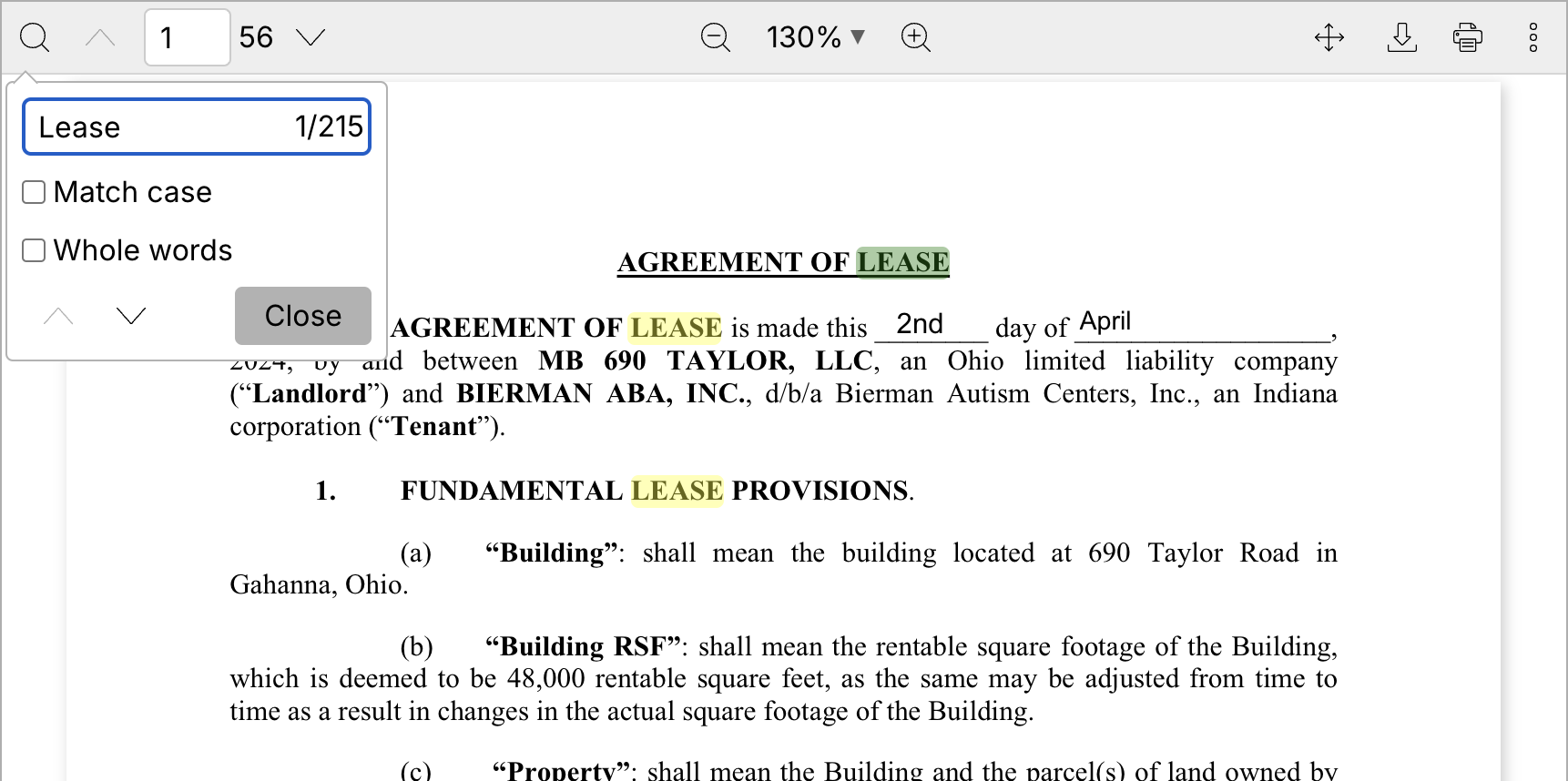
We’re excited to announce that all new PDF uploads are now fully searchable!
In the past, you may have encountered some PDFs with selectable text and others without. This difference occurs because scanned documents don’t have text data embedded, making it difficult to search for terms or copy text.
Now, whenever you upload a scanned PDF, it will automatically be converted so that you can easily search, select, and copy its text.
November 5th, 2024
We’re excited to share that we have made some significant improvements to our upload system:
Reduced Wait Time: Uploads are now up to 60% faster, with an average upload time of 2 minutes and 30 seconds.
Increased Reliability: We've significantly improved the success rate of uploads, reducing failures by 99%.
These changes are designed to give you a smoother, more efficient experience. We hope you enjoy the improvement!